





Zoho One Premium Partner Image

What Your
AI Scheduling Assistant Handles

Scheduling breaks down when requests wait too long or confirmations are missed. The assistant helps capture bookings and manage schedule changes automatically.

Zoho One Premium Partner Image

24/7 Appointment
Booking

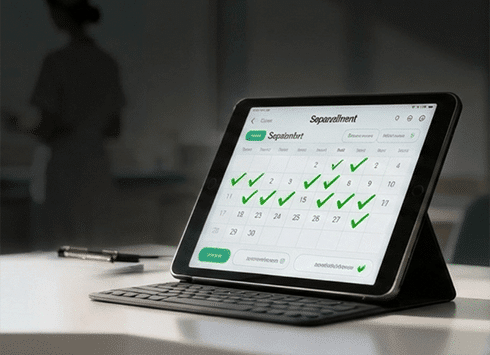
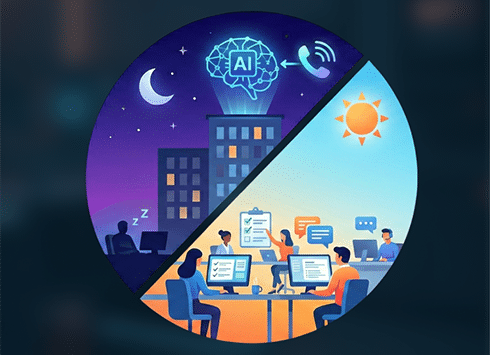
New clients call at 9 PM? No problem. Your AI scheduling software checks live calendar availability and books the next open slot immediately—even after hours and on weekends.

Zoho One Premium Partner Image

Reschedule &
Cancellation
Handling

Client needs to move an appointment? The AI finds the next available time, updates the calendar, and sends confirmation—all without interrupting your team.

Zoho One Premium Partner Image

Inbound Call
Qualification

Not all calls are equal. The AI asks the right questions to determine urgency, service type, and decision-maker status before scheduling—filtering out time-wasters.

Zoho One Premium Partner Image

Automated
Confirmations
& Reminders

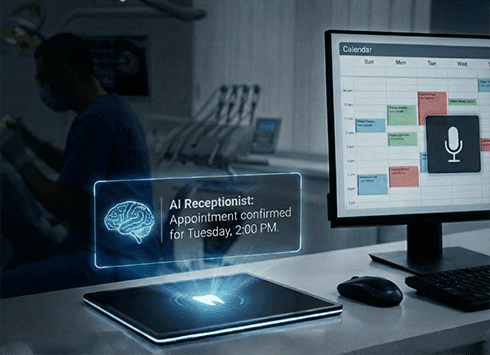
Send confirmations immediately, follow up closer to the appointment, and apply additional confirmation steps for bookings more likely to cancel or reschedule.

Zoho One Premium Partner Image

Smart Routing
to Your Team

Complex request that needs a human? The AI captures all details, flags the urgency level, and routes to the right department with full context—no back-and-forth required.

Zoho One Premium Partner Image

Real-Time CRM &
Calendar Sync

Every booking, reschedule, and cancellation updates your CRM and calendar automatically. No double-bookings. No missed updates. Complete visibility across your team.

Zoho One Premium Partner Image

After-Hours &
Overflow Coverage

When your front desk is slammed or closed, the AI steps in. Capture leads during lunch breaks, holidays, and peak call times without adding headcount.

Zoho One Premium Partner Image

How It Works

From setup to optimization, your AI for scheduling is operational in days—not months.

  • Connect Your Systems

    We integrate with your phone system, website chat, Google Calendar, Outlook, and CRM. One setup covers all channels.

  • Define Scheduling Rules

    Set availability windows, buffer times, service types, and escalation rules. The AI follows your exact booking logic.

  • Train on Your FAQs

    We build a knowledge base from your common questions: pricing, locations, services, and policies. The AI answers accurately or escalates when needed.

  • Go Live Across Channels

    Launch on phone, web chat, SMS, and messaging apps. All channels use the same scheduling logic and sync to one calendar.

  • Weekly Optimization

    We review call logs, booking trends, and no-show patterns. Continuous refinement improves accuracy and conversion over time.

Zoho One Premium Partner Image

Integrations

Your AI calendar assistant connects with the tools you already use
no rip-and-replace required.

Zoho One Premium Partner Image
Google Calendar
Zoho One Premium Partner Image
Microsoft Outlook
Zoho One Premium Partner Image
Zoho CRM
Zoho One Premium Partner Image
GoHighLevel
Zoho One Premium Partner Image
Calendly
Zoho One Premium Partner Image
Email & SMS
Zoho One Premium Partner Image
Web Chat
Zoho One Premium Partner Image
WhatsApp & Messenger
Zoho One Premium Partner Image

Case studies

Eliminating Double Bookings for a High-Volume Austin Plumbing Company
AI Scheduling Assistant
Eliminating Double Bookings for a High-Volume Austin Plumbing Company

An Austin plumbing company handling both routine and emergency service calls struggled with missed calls and overlapping bookings during peak demand. After implementing an AI scheduling assistant that prioritized emergencies and synced real-time crew availability, the company reduced scheduling errors and captured more service requests without expanding dispatch staff.

Learn more
Zoho One Premium Partner Image

Discover More

AI Voice Assistant

AI Voice Assistant

Transform phone conversations with a conversational AI voice assistant


Read more
Read more
Read more

AI Legal Assistant for Law Firms

AI Legal Assistant for Law Firms

Capture every prospective client call, handle intake with confidentiality


Read more
Read more
Read more

AI Sales Assistant

AI Sales Assistant

Capture every lead, qualify instantly, and route the right opportunities to your sales team—24/7.


Read more
Read more
Read more

Ai receptionist for healthcare

AI Receptionist for Medical Office

Answer every patient call 24/7, handle AI patient scheduling instantly


Read more
Read more
Read more

AI Dental Receptionist

AI Dental Receptionist

Stop losing revenue to voicemail


Read more
Read more
Read more

AI Answering Service

AI Answering Service

Never miss a call again. Your AI phone answering service handles every inbound inquiry 24/7

Read more Read more Read more
Zoho One Premium Partner Image

Frequently asked questions

  • Can the AI handle complex scheduling scenarios like group bookings or multi-step consultations?
    Yes. We configure custom workflows for multi-appointment sequences, resource allocation (rooms, equipment), and team availability. If a request exceeds the AI’s rules, it captures full details and escalates to a human scheduler with complete context.
  • What happens if someone calls with an urgent issue that can’t wait for a scheduled appointment?
    The AI recognizes urgency keywords and routing rules you define. Urgent calls are either transferred immediately to a live team member or escalated via SMS/email with priority tagging. Non-urgent inquiries go through normal scheduling.
  • How does the AI prevent double-bookings or scheduling conflicts?
    It syncs with your live calendar in real time before confirming any slot. Buffer times, blackout dates, and team-specific availability rules are enforced automatically. If a slot is taken between inquiry and confirmation, the AI offers the next available time.
  • Can it transfer to a human if the caller insists on speaking to someone?
    Absolutely. The AI can transfer mid-conversation with full context passed along. You decide the transfer rules: during business hours, for VIP clients, or for specific request types.
  • How do you handle no-shows and late cancellations?
    Automated reminders go out 48 hours and 24 hours before appointments via SMS and email. If someone cancels or reschedules, the AI immediately opens that slot for new bookings. You can also configure waitlist logic to fill last-minute openings.
  • What’s the setup timeline?
    Most clients are live within 5-7 business days. This includes calendar integration, call flow configuration, FAQ training, and testing. Complex multi-location or multi-service setups may take 10-14 days.
  • Do you offer reporting on booking trends and AI performance?
    Yes. Weekly reports include: appointments booked, reschedules handled, no-show rate, top inquiry types, peak call times, and escalation frequency. This data helps refine scheduling rules and staffing decisions.
  • Can the AI book appointments across multiple locations or service providers?
    Yes. The AI can route based on caller location, service type, or provider specialty. Each location and team member can have unique availability, and the system ensures proper assignment before confirming.

Ready to Stop
Missing Appointments?

See how an AI scheduling assistant captures bookings 24/7 and keeps your calendar full.